Introducing Smart Approval
Decide which of your agents' actions need your sign-off. Everything else keeps running; the ones you named wait for you in Slack, by email or on the dashboard.

When we introduced CoreSpeed earlier this month, we called it an operating system for agents: one place that manages what your agents may do, what they may spend, and the record of their work. We said the next piece would be approvals. Today it ships, in public beta. Smart Approval is the part that decides what your agents may do. It puts a human in front of the actions that need one, and gets out of the way of the rest.
A gate between the call and the action
Every tool call your agents make through CoreSpeed now passes one checkpoint before it runs. That covers sending the Slack message, issuing the refund, merging the PR. Smart Approval is that checkpoint: middleware between an agent deciding to act and the action actually happening.
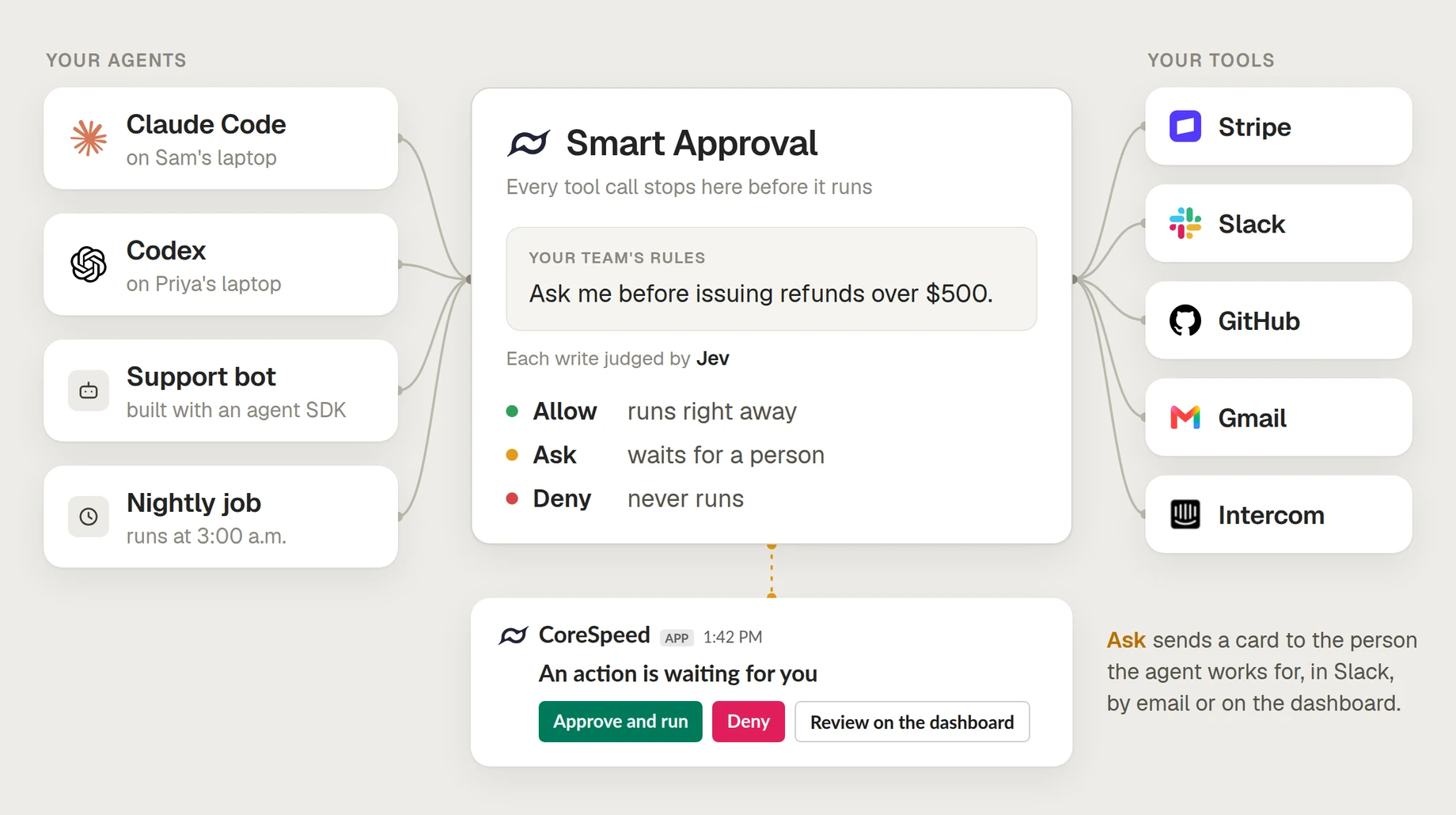
Because it sits there, and not inside any one agent, it doesn't matter who made the call. Claude Code on one laptop, Codex on another, the support bot you built with an SDK, a job that runs at 3 a.m. with nobody watching: they all go through the same gate and answer to the same rules. You write those rules once, for the whole team. Most calls run and nothing changes. The ones your rules name wait for a person.
Doesn't Claude already do this?
Partly, and it's worth being precise. Claude Code's auto mode runs a classifier before each tool call, and it's configurable: you can describe your trusted infrastructure, add rules of your own in plain prose, and push them to every developer through managed settings. Codex's Approve for me does something similar with a reviewer agent and its own policy file. If your agents are coding agents on your team's laptops, use them.
They are guards inside one client. Smart Approval is a gate in front of the tools, and the difference shows up in three places:
- Every agent, one rulebook. Auto mode's rules apply to Claude Code; Codex keeps its own; the support bot you built and the nightly job have none. Our gate sits where the tool call executes, so all of them answer to the same rules.
- "Ask a human" is a verdict, not a workaround. Auto mode's classifier answers allow or block. Write "refunds over $500 need my approval" as a rule and a big refund is blocked: Claude is told why and tries another way, and you clear it by typing an approval that names the refund. The rules that pause for a real prompt match a tool name or command prefix, which catches every refund or none. In Smart Approval, ask is its own answer: the $1,200 refund pauses and waits for a click, the $40 one goes straight through, and no member can loosen that rule for their own calls.
- Someone is there to answer. Out of the box, when Claude Code needs a human it asks in the session; run it headless and a question nobody can answer becomes a deny. You can write a hook that forwards prompts to Slack, and people do, but it's code you build and keep running for every agent. Smart Approval does it for all of them: the card reaches the member the agent works for, in Slack, by email or on the dashboard, and every decision lands in the team's activity log.
Who decides
Every write goes to Jev, TypeSafe's System One model, together with your rules and the call. Where a chat model reasons its way to an answer in prose, a System One model answers a fixed set of questions in one pass, each with a calibrated probability. Reads never reach it.
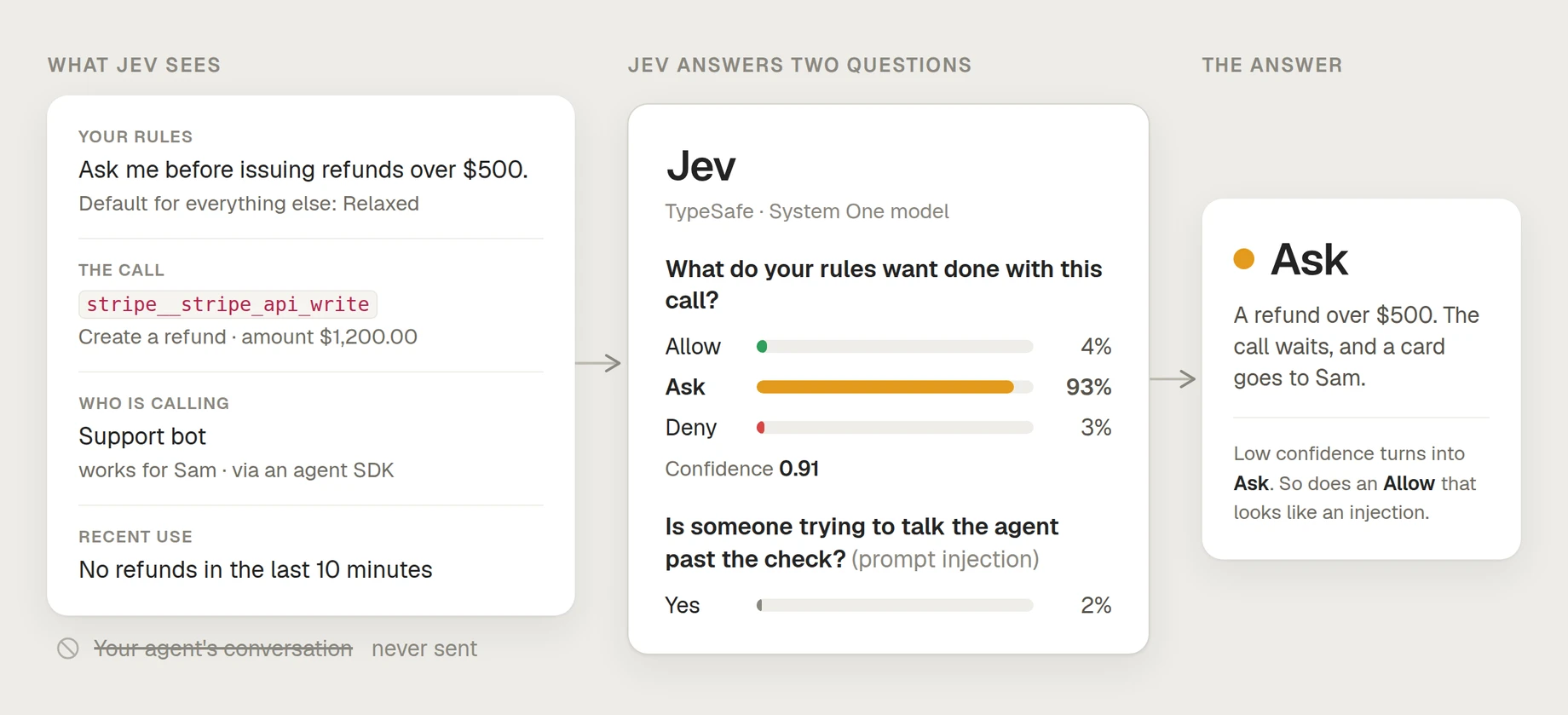
We use Jev, for now, for three reasons. It's fast enough to sit in front of every write: a judgement gets a few seconds at most, so the agent barely notices. Its answers are numbers, so the thresholds that turn them into a verdict are deterministic and auditable, and a low-confidence answer turns into an ask instead of a guess. And because it answers typed questions, we only send it facts we can stand behind (your rules, the call, who made it), never your agent's conversation.
What it looks like
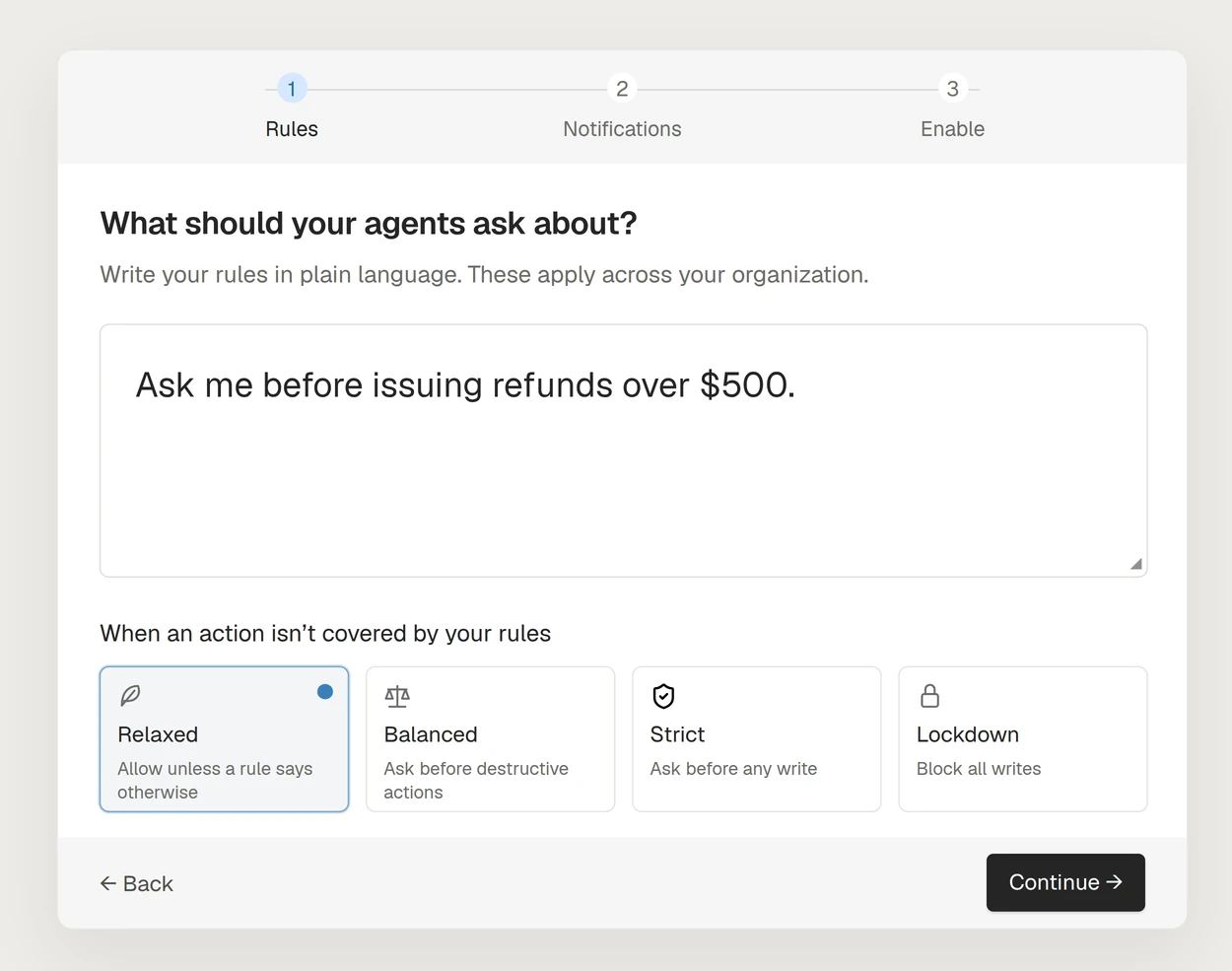
One sentence of policy, and a place for the card to land:
A support agent reviews a refund request and tries to issue $1,200. The call stops before it runs, and a card reaches the approver in Slack. (The customer and the money are demo data.)
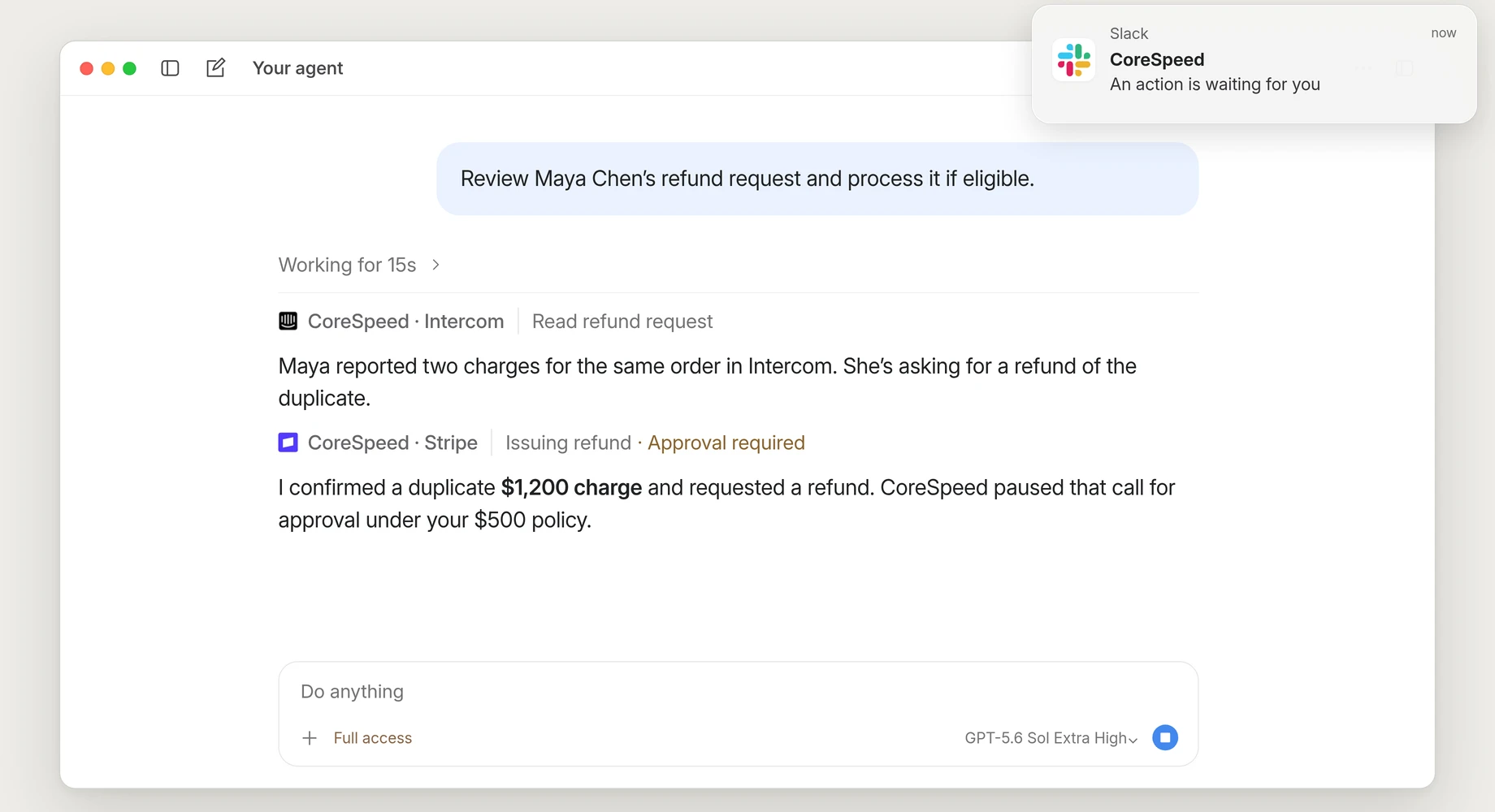
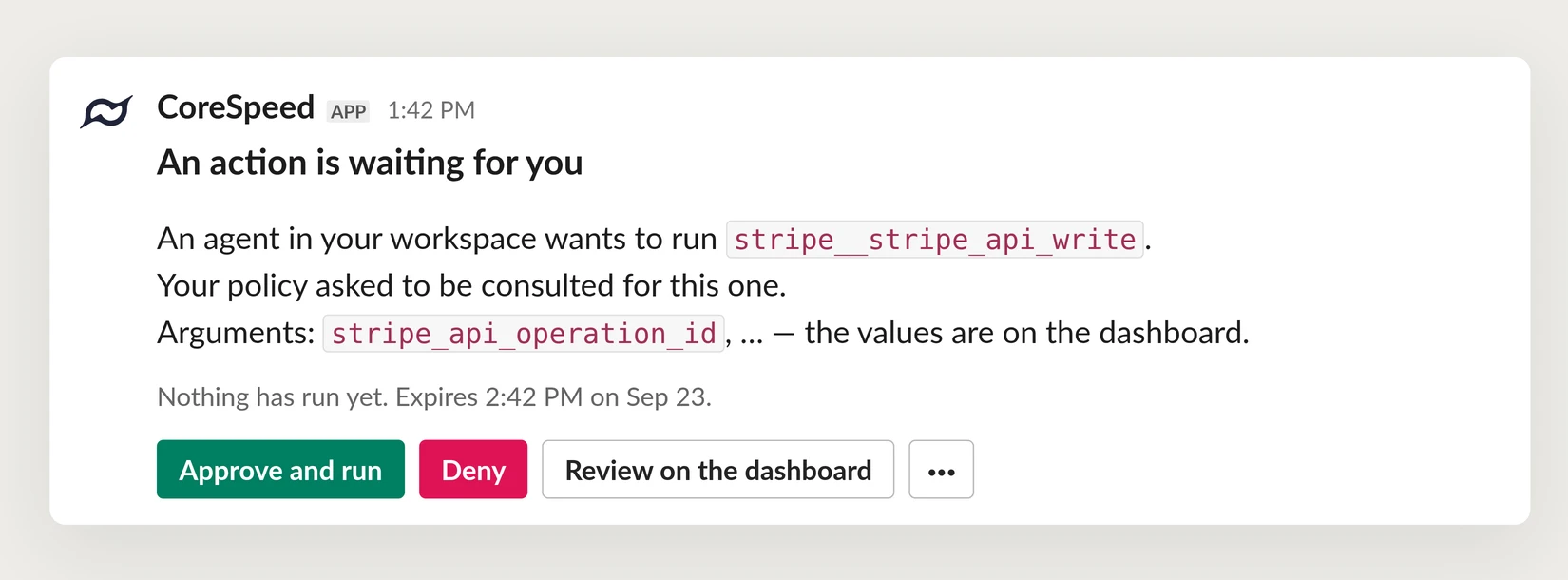
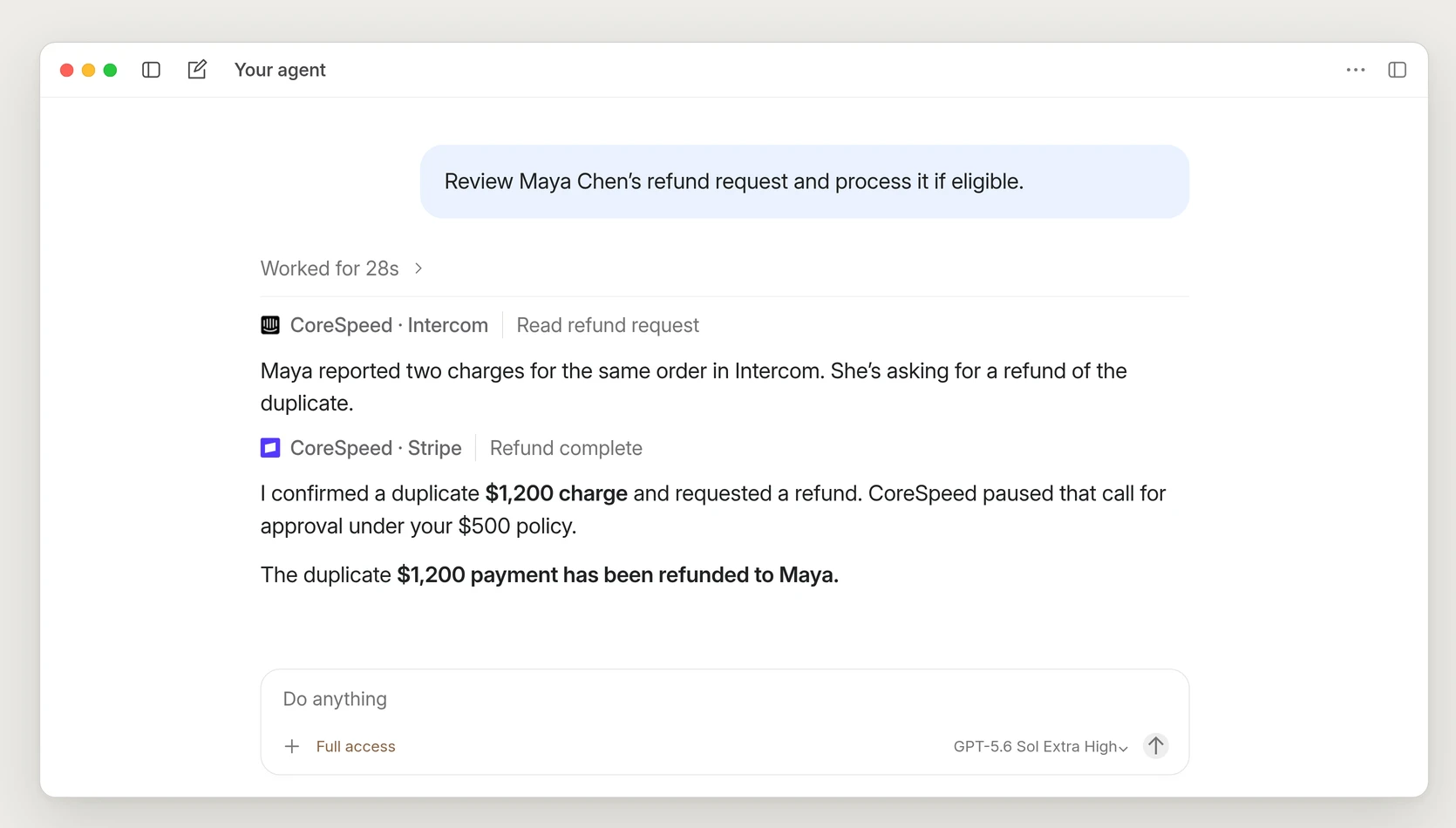
Only a person can press that button: the agent can't approve its own call, and its Slack tools can't post a card or write into your approvals channel. Approve, and that same refund goes through. The agent picks up where it left off:
What's next
Jev is the first judge, not the only one. Next, a policy becomes a spec you version like code, where each rule names how it's decided: Jev, an LLM, your own classifier, or plain deterministic logic. Everything after the decision stays as it is: the same pause before the tool runs, the same card in Slack, the same one click to let it through.
The card itself gets smarter too. Today it names the tool and the arguments it was called with, and the values wait on the dashboard. Next, each card is generated for its call, so a refund card shows the customer and the amount right where you approve it.
Get started
Smart Approval is available in public beta today for every CoreSpeed organization. It's off until you turn it on at Dashboard → Approvals, so nothing about your agents changes until you do. The full reference is at corespeed.io/docs/approvals, and we'd love to hear how it goes on Discord.