Cloud agents, meet your Mac
Our cloud agent had no files, no logins, no apps. So it borrowed mine.

This month we needed a new bot for our Discord server. I gave the job to an agent in the cloud.
A local agent can use everything on my Mac. A cloud agent starts with nothing. TIE closes that gap, wherever your agents run.
So the agent built the bot in its sandbox and deployed it to Cloudflare Workers. Then it used my Mac the way a local agent would: my terminal, my clipboard and my Discord app.
All I did was reset the bot token, copy it, sign in to cs once, and approve one post.
Nearly every part of CoreSpeed had a job in this. Here is the whole run in 40 seconds, then each part on its own.
What it runs on
Here is each part of CoreSpeed the job used:
- A cloud sandbox on Agent Fleet. The agent worked on its own machine in the cloud, with no files and no logins of mine.
- TIE lent it my Mac: the terminal, the clipboard and the Discord app, signed in as me.
- A remote MCP server for Cloudflare, added once for the whole organization, deployed the Worker and set its secrets.
- An agent identity gave the bot a key of its own, limited to one tool and a monthly budget.
- Smart Approval held one Discord post until I said yes in Slack.
- CoreSpeed Drive moved files between the sandbox and my Mac.
- Team memory kept what the agent learned, for the next agent.
1. Code and deploy, from the cloud
The agent runs on Agent Fleet, our home for agents in the cloud. It's coming soon; inside the company we call it Ensemble.
There it wrote the bot, and a second agent reviewed the code before we merged it. Then it deployed the bot through Cloudflare's own MCP server, which our team connected to CoreSpeed once. So it never held a Cloudflare token.
2. Find the facts, on my Mac
The bot needs to know which Discord channels to post in. Those IDs were in my old notes, on my Mac, not in the sandbox.
So the agent used the terminal on my Mac through TIE. It searched my notes and found them.
3. The secrets, from my Mac straight to Cloudflare
The bot needs two secrets: the Discord bot token, and a CoreSpeed key to read our X posts. I didn't want either one in an agent's chat. Chats are kept, and my team can read them.
So the agent wrote a short script and ran it on my Mac, through TIE. The script:
- made the bot its own CoreSpeed key, allowed to read our X timeline and nothing else, with a monthly budget;
- read the bot token I had copied;
- put both secrets into the bot's settings on Cloudflare;
- erased the token from my Mac.
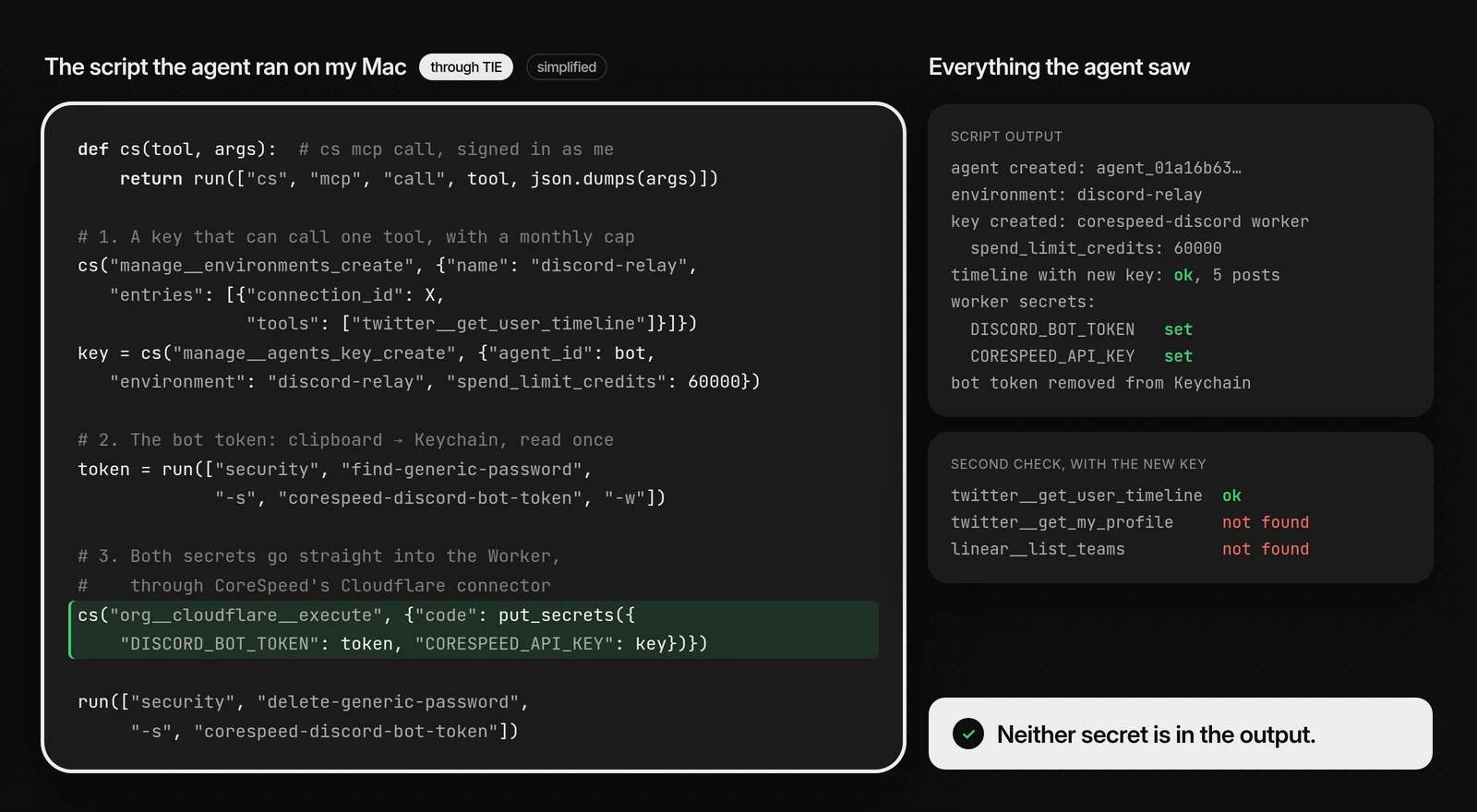
The script printed IDs and the word "set". That is all the agent saw.
The key belongs to the bot's own agent identity, not to me. A second check proved it: reading the timeline worked, and every other tool came back "not found". If the key ever leaks, it can read our public posts and nothing else.
4. Discord's settings, on my screen
Some settings exist only in the Discord app. So the agent opened the app on my Mac through TIE. It read the window the way a screen reader does, and clicked with its own cursor.
It made three changes:
- Welcome messages on, in #welcome.
- An old webhook deleted.
- The bot allowed to post in #announcements. Members still can't.
After each change, it read the setting back.
5. One post that waited for me
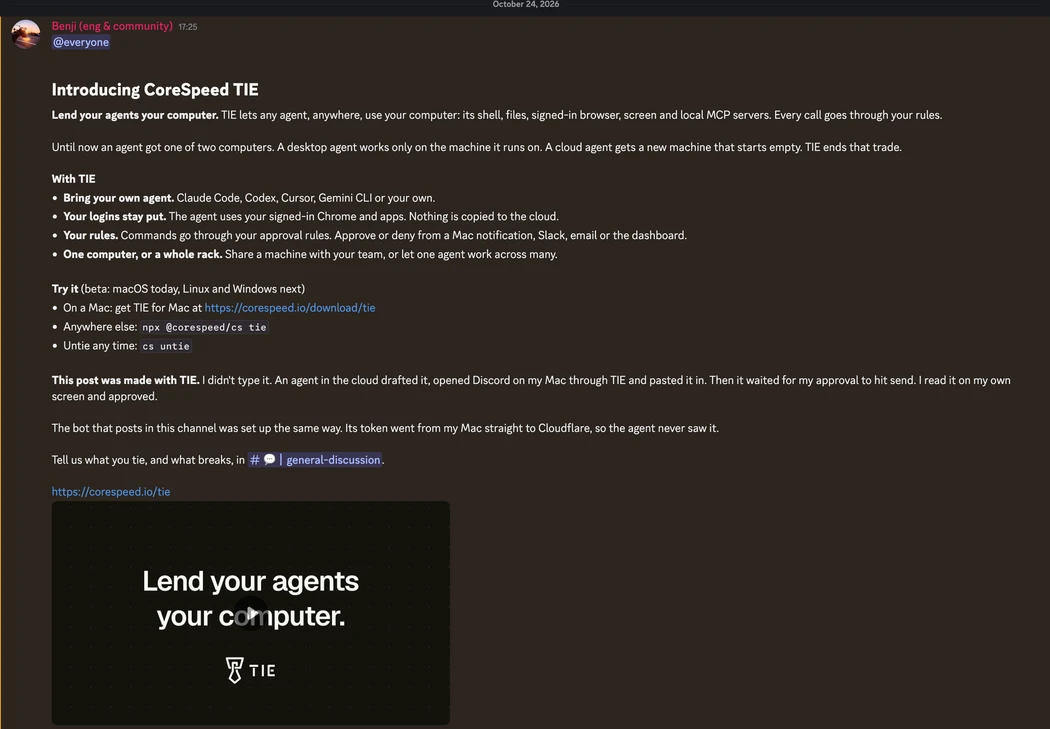
When we launched TIE, we announced it on Discord the same way. The agent drafted the post, opened Discord on my Mac and pasted it in. Sending it was my call.
To make sure of that, the agent added a rule to our approval policy. The rule covers one tool on one machine: pressing a key on my Mac.
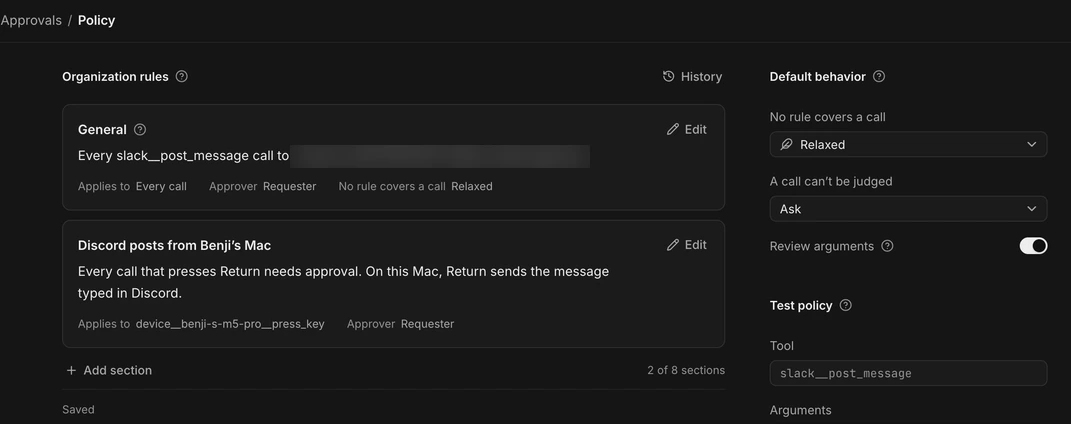
Then the agent pressed Return. Nothing happened on my Mac. The keypress waited for me, and Slack sent me a card.
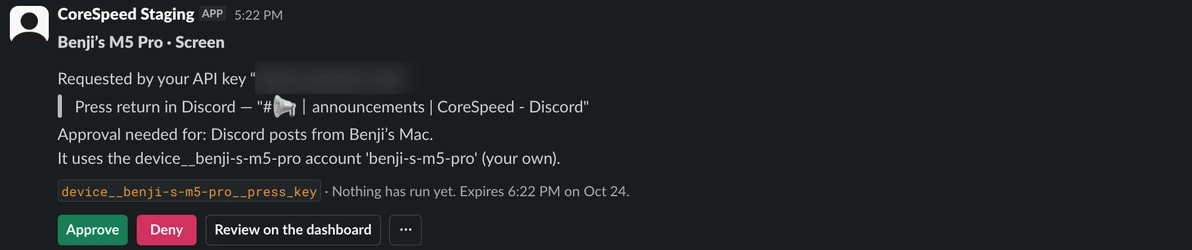
I read the post on my own screen and approved it. The agent's call went through, and the post went out. Then the agent removed the rule.
6. Files between the sandbox and my Mac
The sandbox and my Mac don't share a disk. When a file had to cross, like the launch film for the post, it went through CoreSpeed Drive, the shared drive for our agents and our team: one side uploaded it, and the other fetched it from a short-lived link.
7. What the next agent knows
At the end, the agent saved what it learned to our team memory: where the Worker lives, which key it uses, and the traps it hit along the way. The next agent that touches the bot starts from there. So does every teammate's agent.
Try it
TIE is in beta on macOS. Get TIE for Mac, or run this on the Mac you want to lend:
npx @corespeed/cs tieThen connect any agent to CoreSpeed. To see what else TIE does, read Introducing CoreSpeed TIE.