Xbrain: Give Your Agent a Sense of Your Taste
Turn your X bookmarks into searchable design context for your agent.

I want my agent to understand my taste better.
The posts I like on X, the designs I bookmark, the people I follow, and the posts I quote are all context worth keeping. They’re a record of what made me stop scrolling and take a closer look.
So I built Xbrain.
Starting with your X bookmarks, it organizes photos, components, open-source projects, and design references into memory your agent can easily search. It keeps the original sources and connects the dots, bringing back the inspiration you saved and then forgot about.
Next time you’re vibe coding or asking your agent to create an image, try saying: “Make it in a style I’d like.”
Now your agent has something to go on. Maybe it’s the minimalist UIs you keep saving. Maybe it’s Bauhaus-inspired interiors.
You couldn’t put a name to your taste. Now you don’t have to.
From a saved reference to a useful starting point
I save things before I know what I’ll use them for. A quiet interface. A room with unusual proportions. A component I might need six months from now. The useful part isn’t just remembering that a link exists. It’s being able to bring the right reference back when I’m making something.
Xbrain keeps the source alongside the context my agent records about it. With an agent that can inspect images, I can describe visible details—spacing, layout, color, typography, material—and retrieve references by those observations. Possible style labels stay attached to their evidence.
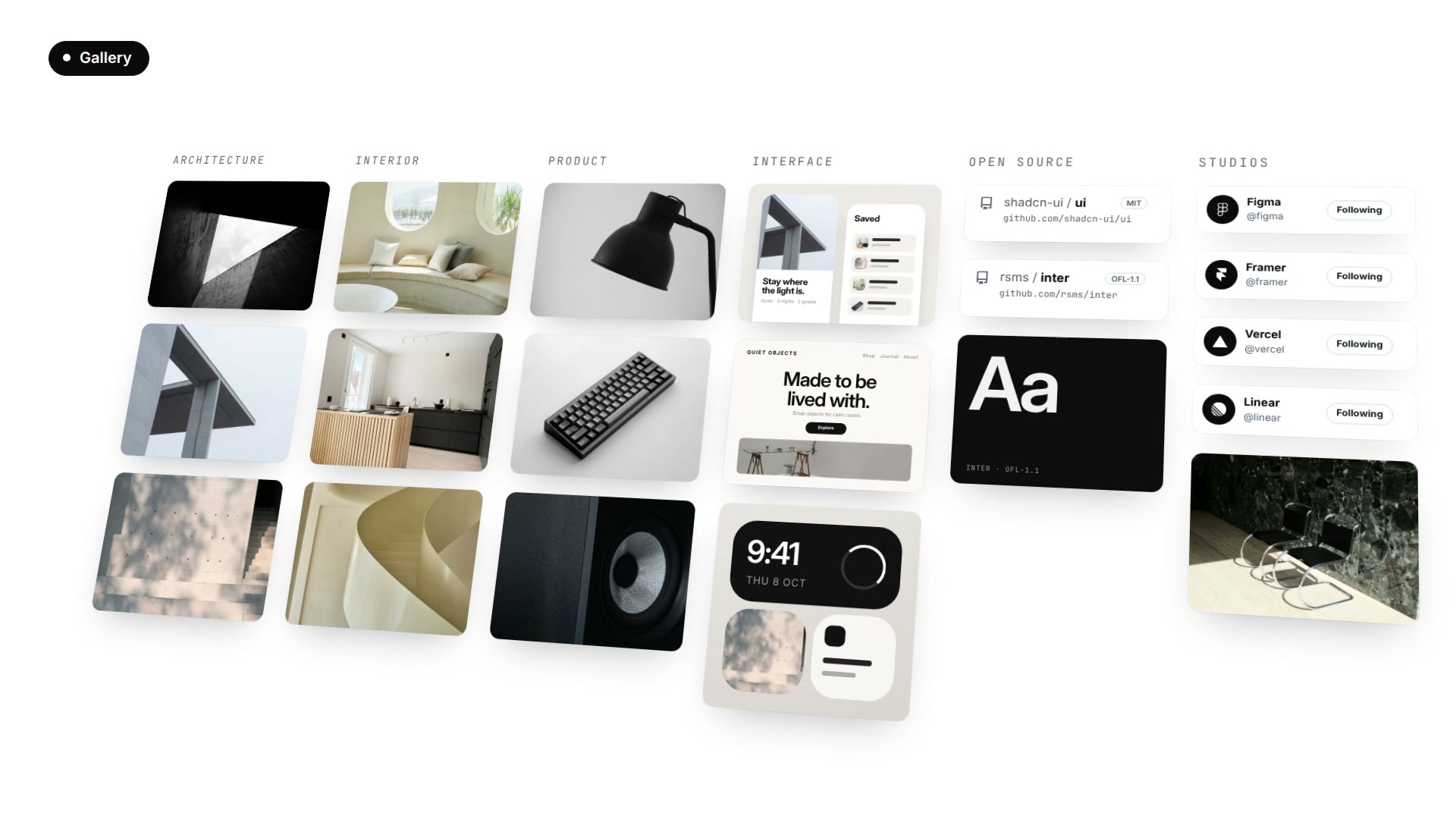
A bookmark doesn’t prove I like something. I might have saved it for a client, to critique it, or because one small detail was interesting. Xbrain should help my agent show me relevant originals and ask which direction fits this task. It shouldn’t quietly turn everything I saved into a permanent statement about my personality.
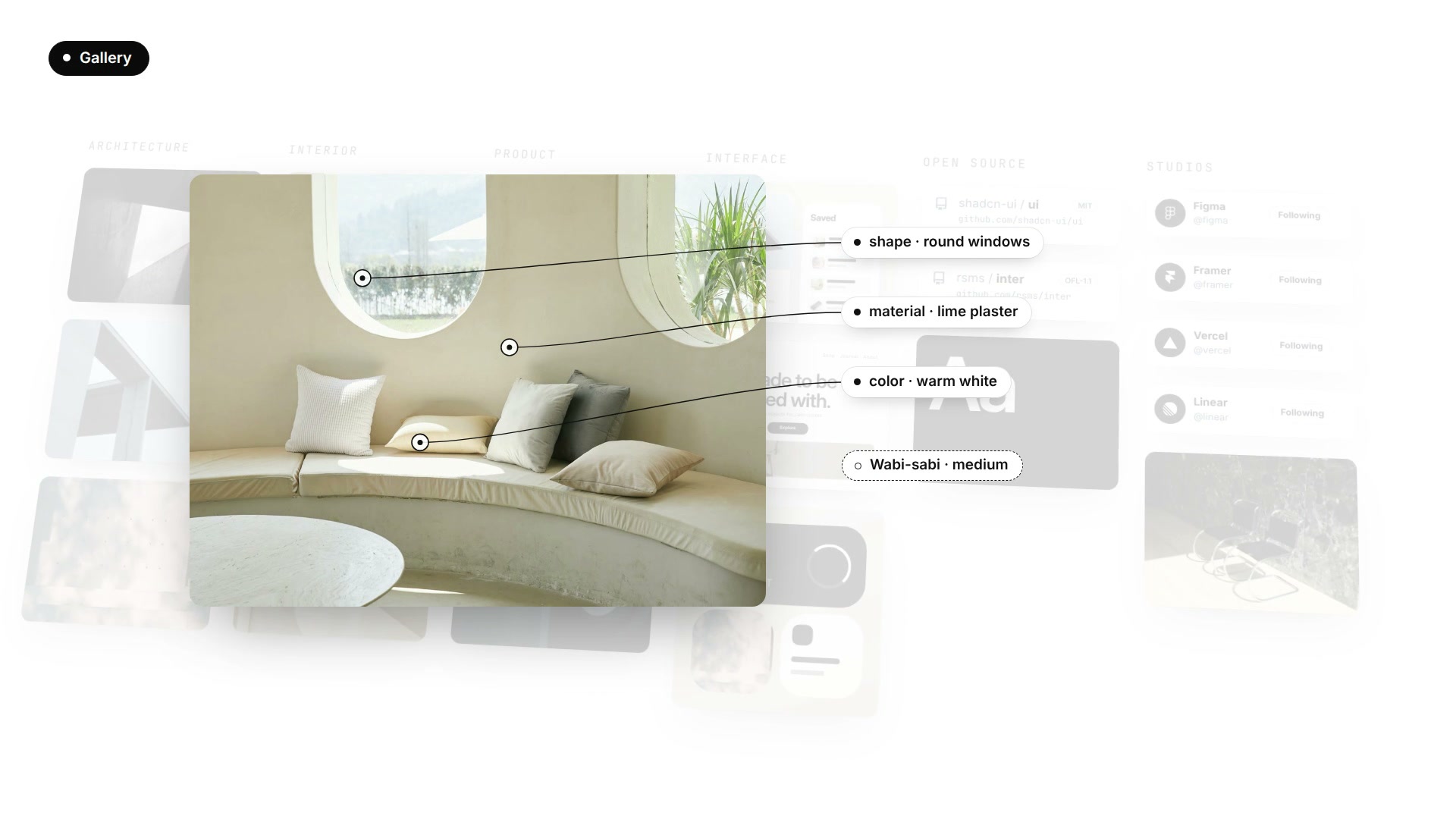
Today, retrieval uses local text search and recorded features and labels. The graph exposes shared labels and their evidence. It gives me connections to inspect, rather than a claim that my taste has been learned automatically.
Connect X through CoreSpeed
I recommend CoreSpeed as a way to give a compatible agent authorized access
to X. Its MCP X Connector exposes tools such as twitter__get_my_bookmarks.
Xbrain supplies the organization and retrieval workflow: source records,
categories, observations, and connections the agent can use later.
Those are separate responsibilities. Connecting X doesn’t install Xbrain or start a background import. The agent’s client must support the required tools and local execution, and its selected source adapter must actually be able to call the connector. Xbrain stays open source and keeps source access separate from its local memory.
I start with a bounded set of bookmarks and ask the agent to report what it actually fetched. The current CoreSpeed bookmark tool exposes a result limit, not a continuation-cursor input, so a returned batch isn’t proof that the entire bookmark history was imported. The Xbrain sync guide explains the adapter and coverage requirements. It also returns post text without image attachments today, so saved images stay unanalyzed unless your agent can open them another way.
Choose whose bookmarks you mean
Personal inspiration and a company’s research can live under different X accounts. CoreSpeed supports multiple accounts for the same connector, with aliases that identify each connection. Connect each account through its normal authorization flow and choose whether it is private or shared.
For example, I can ask: “Use only my personal X account for this collection.”
The agent passes that account’s actual alias in the tool’s account argument.
If multiple accounts are available and no account is specified, CoreSpeed
returns ambiguous_account; the agent should ask me which one I mean.
I can choose one account or explicitly select several. Each call selects one account, and the agent should keep each collection’s source and scope clear. There is no default instruction to sync across accounts. Account visibility and authorization still apply. The multi-account guide walks through connecting and naming them.
Use what you saved in what you make next
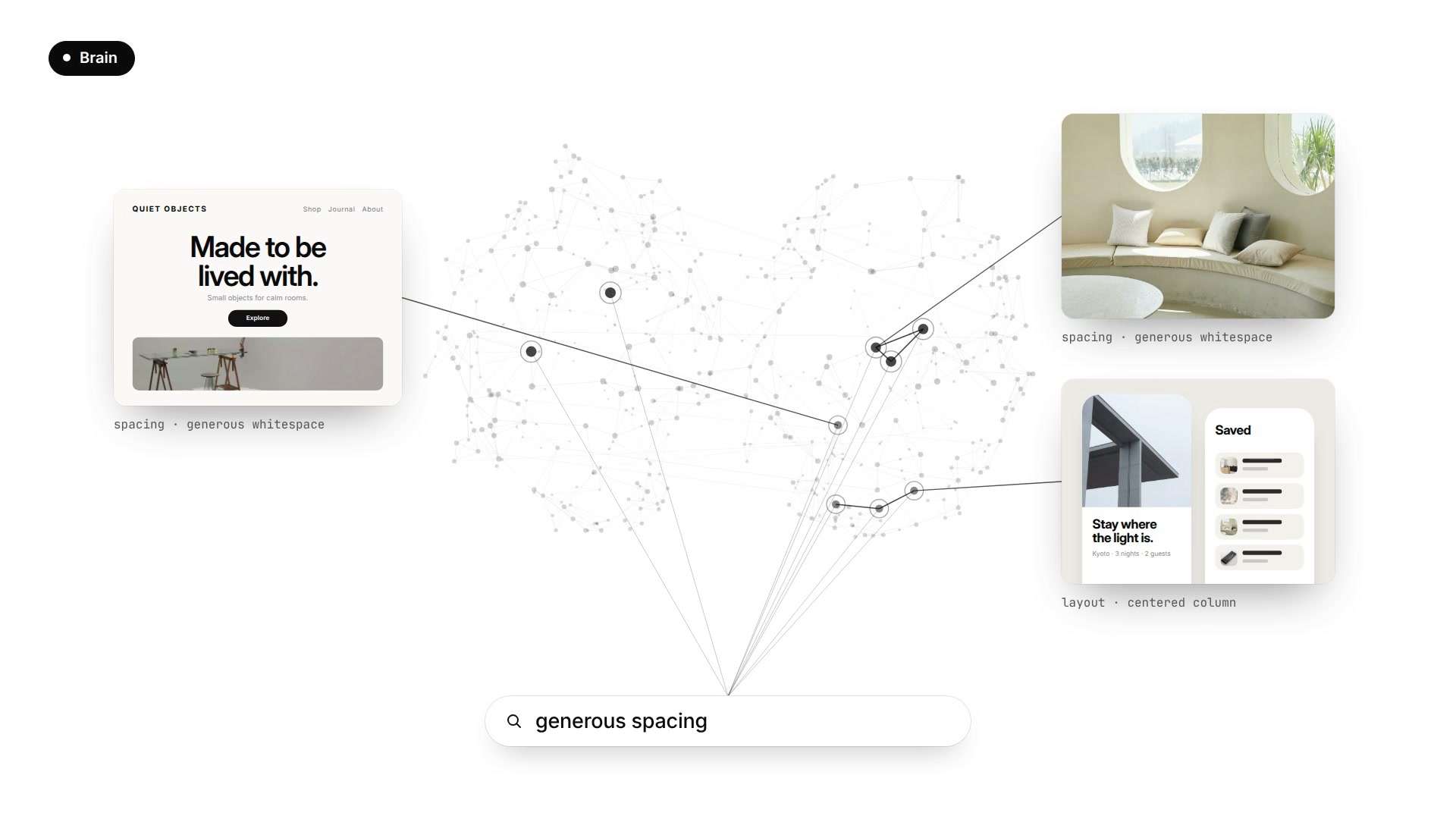
My starting point is CoreSpeed’s X Connector. It gives my agent an authorized route to the X account I choose; Xbrain turns the references it receives into categories, evidence, and context I can retrieve when I’m ready to make something.
Start with CoreSpeed’s X Connector
Go to CoreSpeed and give your compatible agent this official setup line:
set up https://corespeed.io/SKILL.mdFollow the sign-in flow, then open Dashboard → Connectors and authorize X. If you use personal and company accounts, connect each one you want available, give them clear aliases, and choose the target account for this collection. You can explicitly select several; the agent makes separate calls for each. If the choice is ambiguous, it should ask you.
Then add the open-source Xbrain skill and ask: “Use my personal X account to organize a small collection of bookmarks with Xbrain. Show me the original references behind your suggestions, then help me use them in a design.” Your agent needs local execution and image understanding, plus a working adapter to its selected connector.
CoreSpeed handles the X connection and account selection. Xbrain helps your agent turn the saved material into something useful for your next project. That’s the combination I want: less time looking for the thing I saved, and more time making something with it.
Set up CoreSpeed, connect X, and give your agent something to go on.